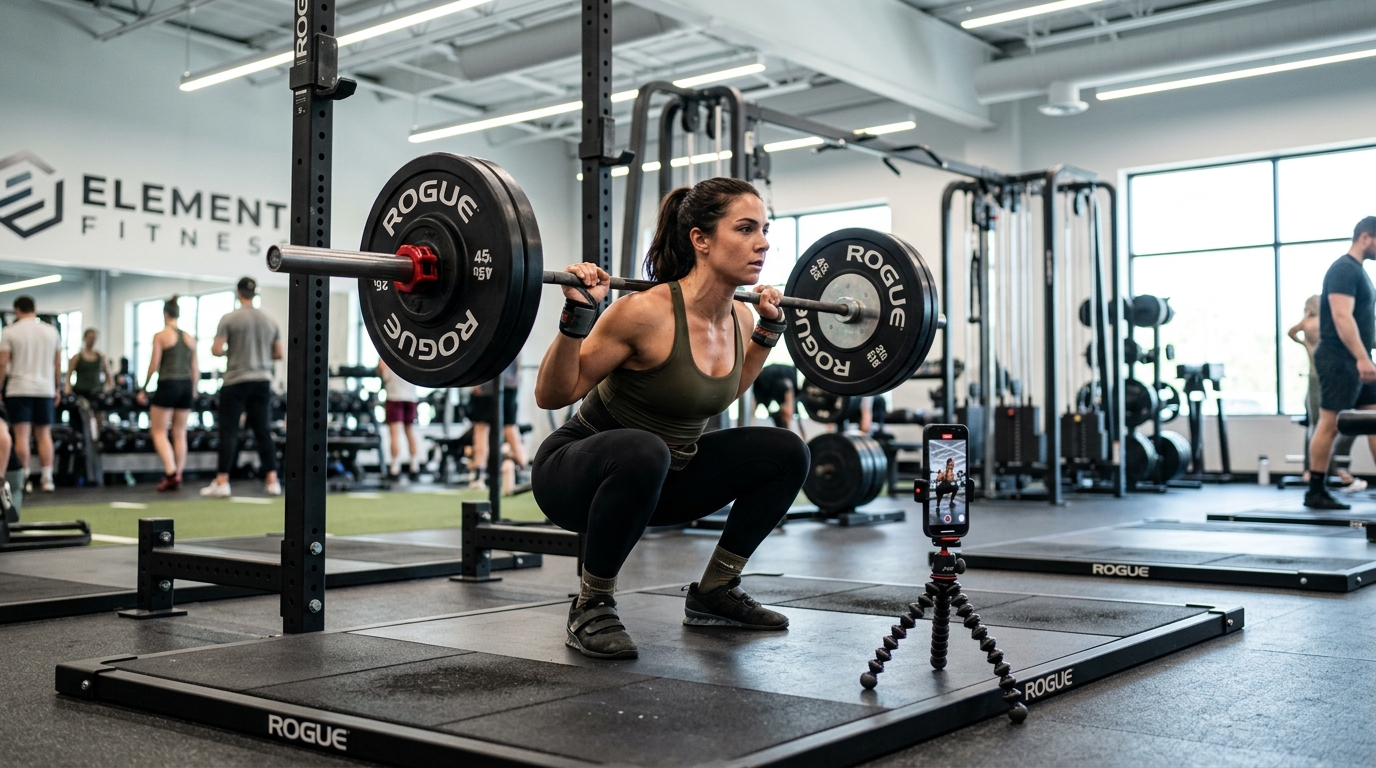
You think your deadlift looks clean until you see it on camera. The gym mirror only shows one angle, and you can't watch yourself mid-rep. Recording and reviewing later means you've already done twenty more reps with the same mistake. DelayCam plays back your set seconds after you finish — so you can correct your form before the next one.
Set a 5-second delay and watch your last set play back the moment you rack the weight. Catch knee cave, back rounding, bar path drift, and other form breakdowns while you can still fix them on the next set.
Customize the delay to match your rest periods. Five seconds for a quick glance between sets, or thirty seconds for a full review during longer recovery. The replay is always waiting when you look up.
Personal trainers can stream the delayed feed to a TV or tablet so clients see their own form in real-time. Show them exactly what you see and make corrections stick faster.
Set your phone at an angle that captures your full range of motion (side view works best for squats and deadlifts). Open DelayCam, set a 5-second delay, and start your set. After your last rep, look at the screen to see your form played back immediately — while you're still resting between sets.
5 seconds works well for most exercises — it gives you time to rack the weight and glance at the screen. For longer sets or supersets, try 10-15 seconds so the replay starts after you finish and have a moment to watch.
Yes. Personal trainers can stream the delayed feed to a tablet or gym TV so clients see their own form in real-time. It makes corrections visual and undeniable.
Download DelayCam and start checking your form between every set. Free on iOS and Android.